computer collection - summer 2026
hello!! it's been an incredibly stressful past few months, but life is finally settling down a bit. i wanted to update my computer collection, since there's been quite a few changes in my lineup!
main laptop (13" MacBook Air, “Magnolia”)
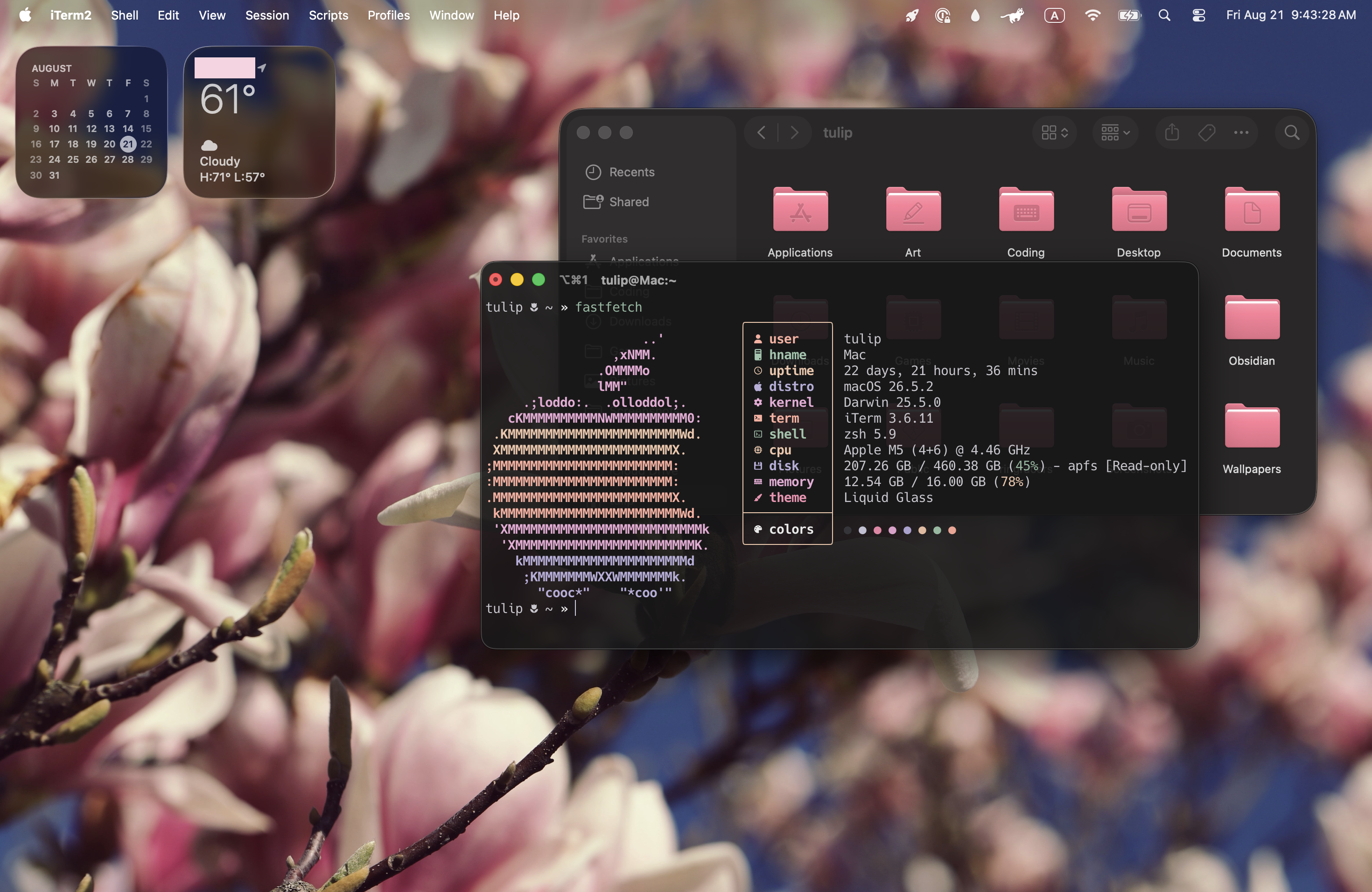
- OS: macOS 26
- CPU: Apple M5
- RAM: 16GB
i know, i know! you might be asking, "Tulip, what happened to your love for Linux!?". but listen! it's still Unix-based! if i ever go back to Windows, that is a genuine cry for help.
my old laptop was being held together with epoxy glue and a prayer for a couple years now. it had CPU overheating issues that prevented me from doing anything more than "light web browsing", and a heavily dinged up and cracked case. i had been nervously watching skyrocketing computer prices, hoping to god that my laptop wouldn't suddenly give up on me. but my boyfriend Damien very, very generously helped me get a new (refurbished) laptop before it became an emergency. whew.
now, i have particular preferences for my laptops. i prefer ones that are fairly lightweight, and it must have an excellent display with a wide color gamut. meanwhile, i don't particularly care about having a dedicated GPU. and if i ever feel like playing games, i usually play emulated, older console games. so... a MacBook Air suits my needs very well, actually!
i had a late 2013 MacBook Pro back in college, and that was my only computer until ~2021. everyone used to gawk and go "ugh, but how do you even play games on that thing!?" but that didn't really matter to me! and frankly? it still doesn't matter to me!
anyway, going back to macOS after several years has been interesting. the last version i remember using was macOS Mojave (10.14, 2018), because i needed the 32-bit support for some applications and drivers that i was still relying on. a lot has changed since then! i... don't hate it, actually?? i am eager for this year's update to fix some of the wonkiness with Liquid Glass, but... so far, i'm pretty satisfied. also, it's been fun to revisit macOS with much more terminal/unix knowledge than i did last time, lmao.
but don't worry! i am still a Linux user at heart! here is...
desktop (2021 build, “Lotus”)
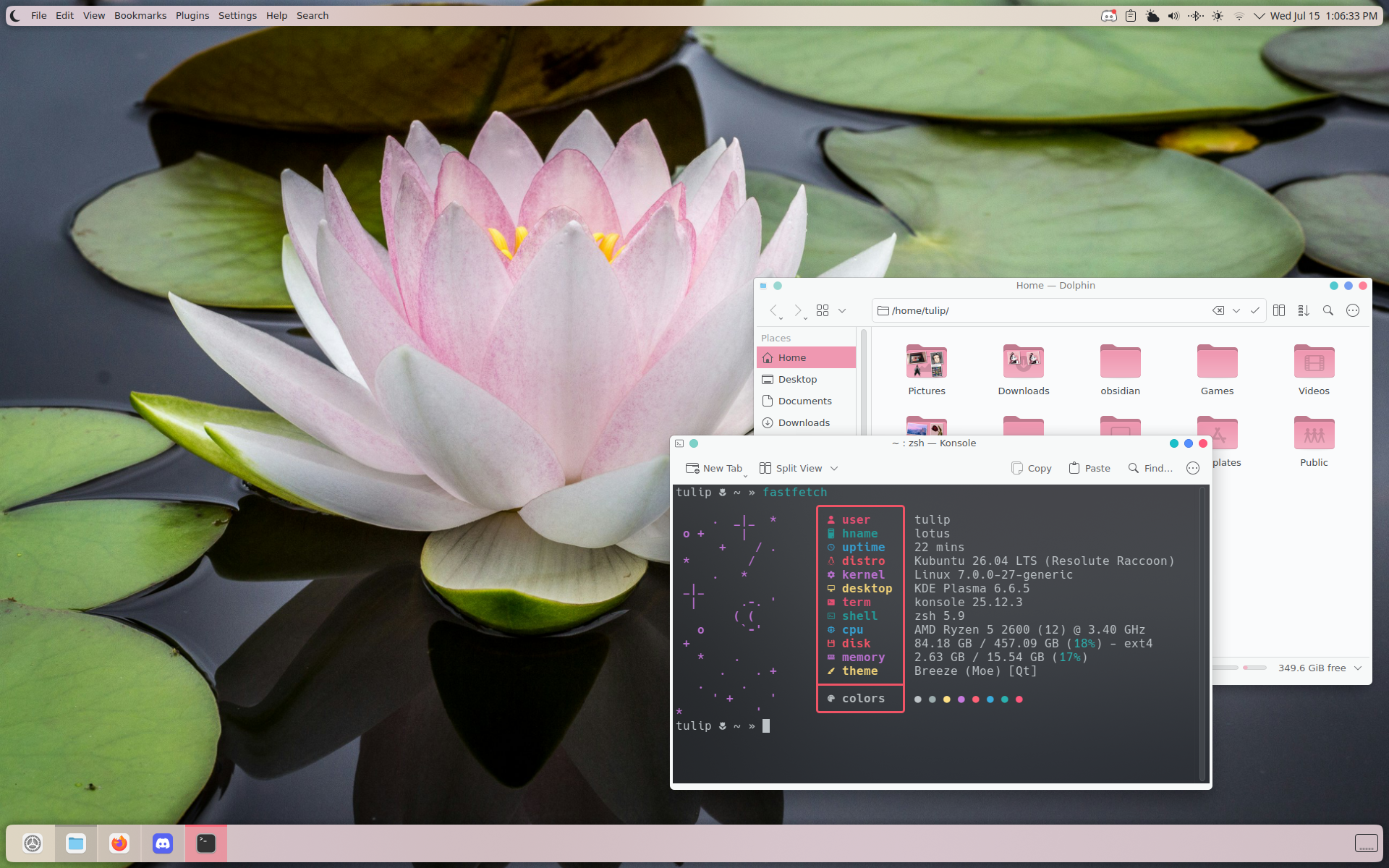
- OS: Kubuntu 26.06
- CPU: AMD Ryzen 5 2600
- GPU: NVIDIA GeForce GTX 1050 Ti
- RAM: 16 GB
yeah, uh, i haven't had much of a reason to upgrade my 2021 PC build. even though that 1050 Ti is really starting to show its age. but if i ever invest in an upgrade, i'd really like to focus on getting a smaller case, and whatever components i'd need to replace because of the smaller clearances. that's on the back burner, though. (mumbles) ...still...
i didn't have access to my desktop PC for several months, either, so it sat around collecting dust for a while. but now that i finally have a desk again, i can play around with my PC...! heehee...
i keep saying that i'll become autistic about Linux desktop environments, and try out a bunch of different DEs and WMs. but then i inevitably go back to KDE, because it feels the most functional to me. it helps that KDE is like, the only Linux DE that is cognizant of digital artists and their needs. (is the bar in hell? oh, yes, absolutely.)
also, i've been experimenting with being a light-to-dark mode user. KDE's made that fairly easy, but there's still some strange oversights every now and then. Konsole—or most terminals, for that matter—doesn't support automatic terminal color switching, and everything i've found online just suggests "make a shell script to handle it", and... i think that is a pretty silly solution. so i'm just sticking with a dark mode terminal. lol.
tablet (11” iPad Pro, 3rd gen, “Cherry”)
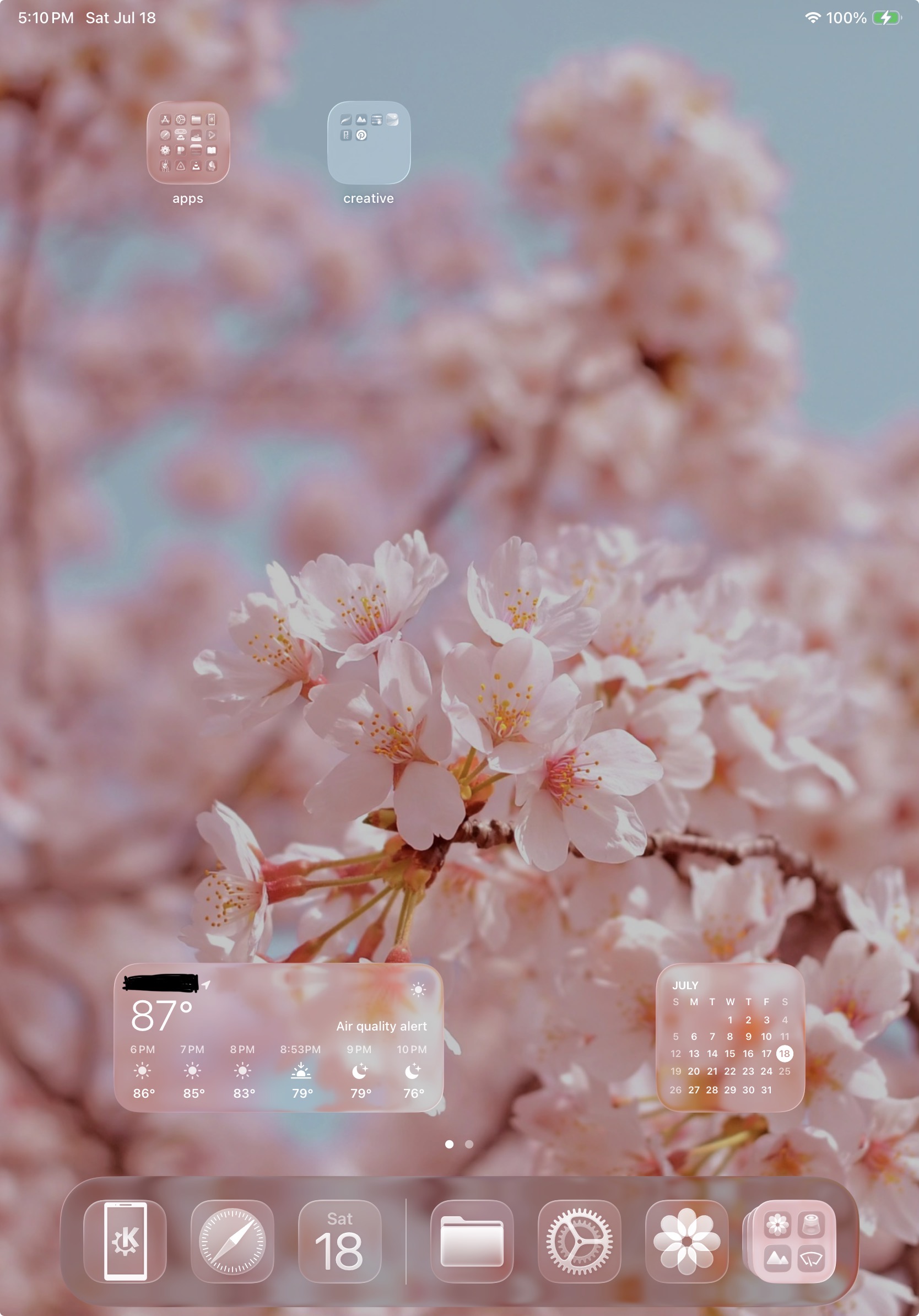 after my previous iPad Pro stopped receiving OS updates, and was getting increasingly stubborn about allowing me to download applications, i… well, i ended up with another hand-me-down iPad. somehow. my life got really fucked up for a while and everything turned upside down, but i am extremely thankful for the generosity and kindness that i have received in these times. it’s one less thing to worry about!! (my former, also hand-me-down iPad Pro couldn’t even download my password manager. that escalated the situation from “annoying” to “Actually That’s A Big Problem”.)
it’s smaller than my previous one, and i was worried that it might be hard for me to adapt to. but it’s around the same size as the sketchbooks i usually use, so it’s been fine. and truthfully…? it’s pretty fun to use with a bluetooth keyboard. i connected my NuPhy Air96 v2 on a whim, and i really enjoyed having access to keyboard shortcuts. and Spotlight search!! i love multi-use, text-based launchers, whether it’s KRunner, Spotlight… PowerToys Command Palette when it wants to friggin run on startup…
oh! also! i am free from the 1st gen Apple Pencil!! no longer do i have to plug in my tablet pen to charge it… at long last, i can enjoy magnetic charging!!! fufufu~
currently, my iPad serves as a nice drawing device and a cooking companion. i have a decently sized recipe database—currently using Paprika 3, it’s fine enough—and it’s been pretty useful to keep it propped up with a recipe open while i’m cooking. sometimes i’ll watch videos or stream TV from my personal library on it. i keep social media applications away from it, too, which is nice. i’ve really come around on the iPad... it’s a funny little thing!
in storage:
iMac G3 (early 2001, Indigo, “Blueberry Dreams”)
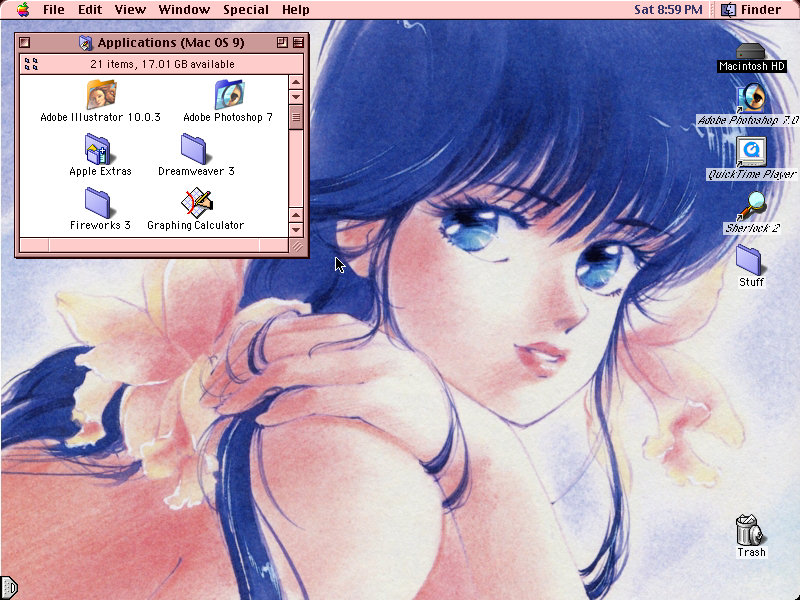
- OS: Mac OS 9.2
- CPU: PowerPC 500MHz
- RAM: 256 MB
i LOVE my iMac G3. her name is “Blueberry Dreams”, a nod to The Cheat's tangerine iMac G3 in Homestar Runner, nicknamed “Tangerine Dreams”. i bought this in summer 2022, i think, from a local computer resale shop. it was only $50, fully tested, just had a bad RAM slot. owning an iMac G3 was one of my dreams ever since i was a kid, seeing them at school and at libraries... and i didn't know when i'd ever see one in such nice condition for such a good price again.
admittedly, the indigo variant wasn't my first color choice - i still pine after the Flower Power variant - but it's absolutely lovely. i'm smitten. my dad got me matching accessories for it as a Christmas present that year, which was very sweet of him.
right now, i mostly use it for poking at late 90s/early 00s digital art software. i got a Wacom Intuos2 off eBay a while back, since i knew its drivers supported Mac OS 9. i love messing around with Kid Pix, or drawing in Photoshop 7. sometimes i open Bryce 3D and daydream about making awesome prerendered abstract backgrounds, but i am really bad with 3D software.
by the way, for those curious, the Kaleidoscope theme is Apple Colourscale “Rose”, and the desktop background is from one of Akemi Takada’s artbooks. (Madoka, i think?)
Surface Pro 2
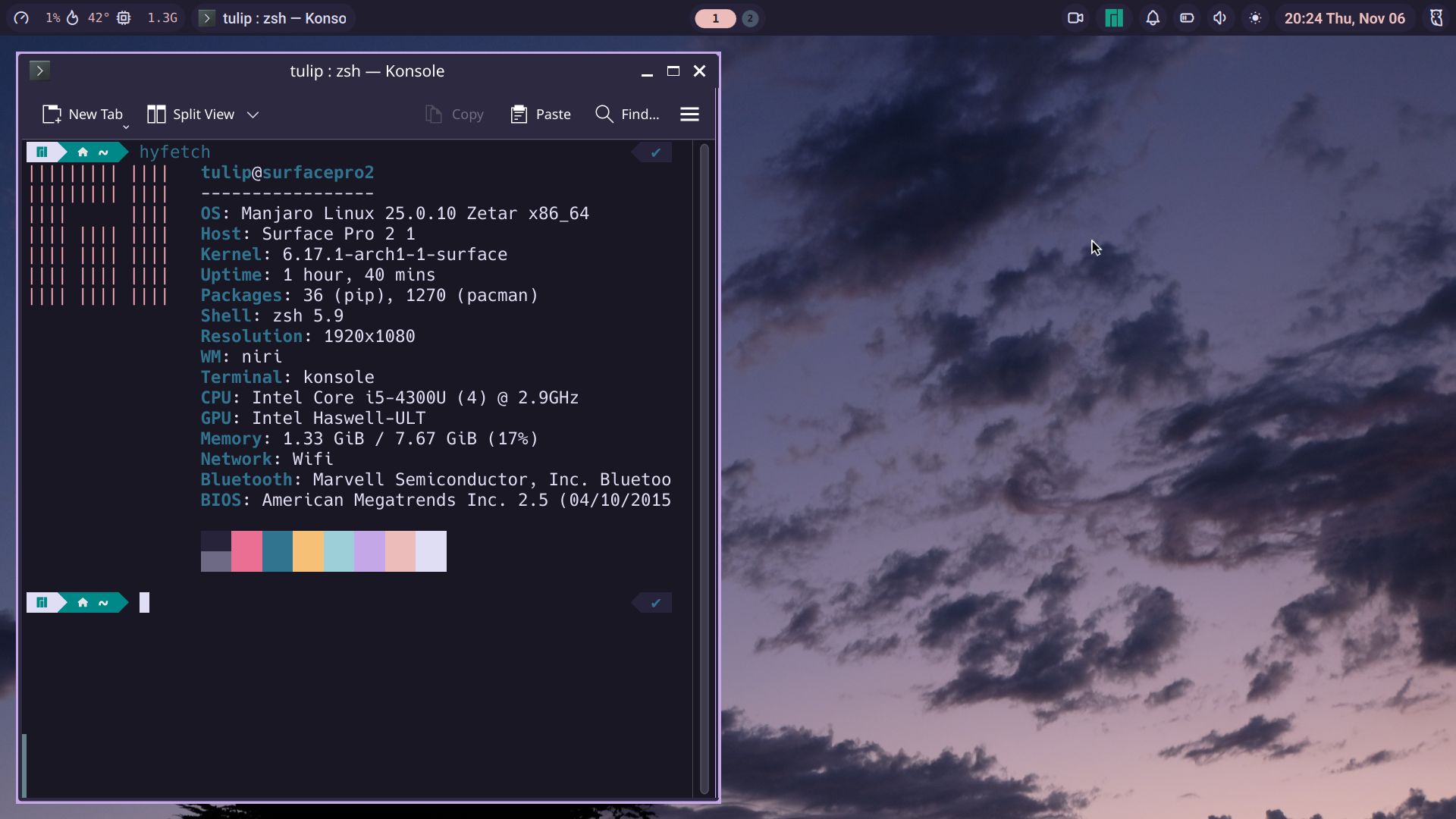
- OS: Manjaro, apparently
- CPU: Intel i5-4300U 1.9-2.9GHz
- RAM: 8 GB
my old Surface Pro 2 is my go-to “Linux experiments” machine. to me, it’s a lot more fun than a VM. the touchscreen and godawful trackpad are an interesting way to test a desktop environment with different control schemes. it’s pretty easy to set up Linux distros on it, too, thanks to the linux-surface project.
last i used it, i was… (squints) um, trying Arch, i guess. and tiling window managers. if i remember right, this was running Niri and Noctalia. pretty fun to play with! …but, not really something i would use regularly. however, i did find it pretty satisfying to use on the Surface’s small screen! it was much more convenient to scroll through automatically tiled windows with the arrow keys, than having to agonizingly click on windows and icons with that absolutely dogshit trackpad.
but… i’m not sure i’ll become an Arch sicko anytime soon. sorry………
ThinkPad T61
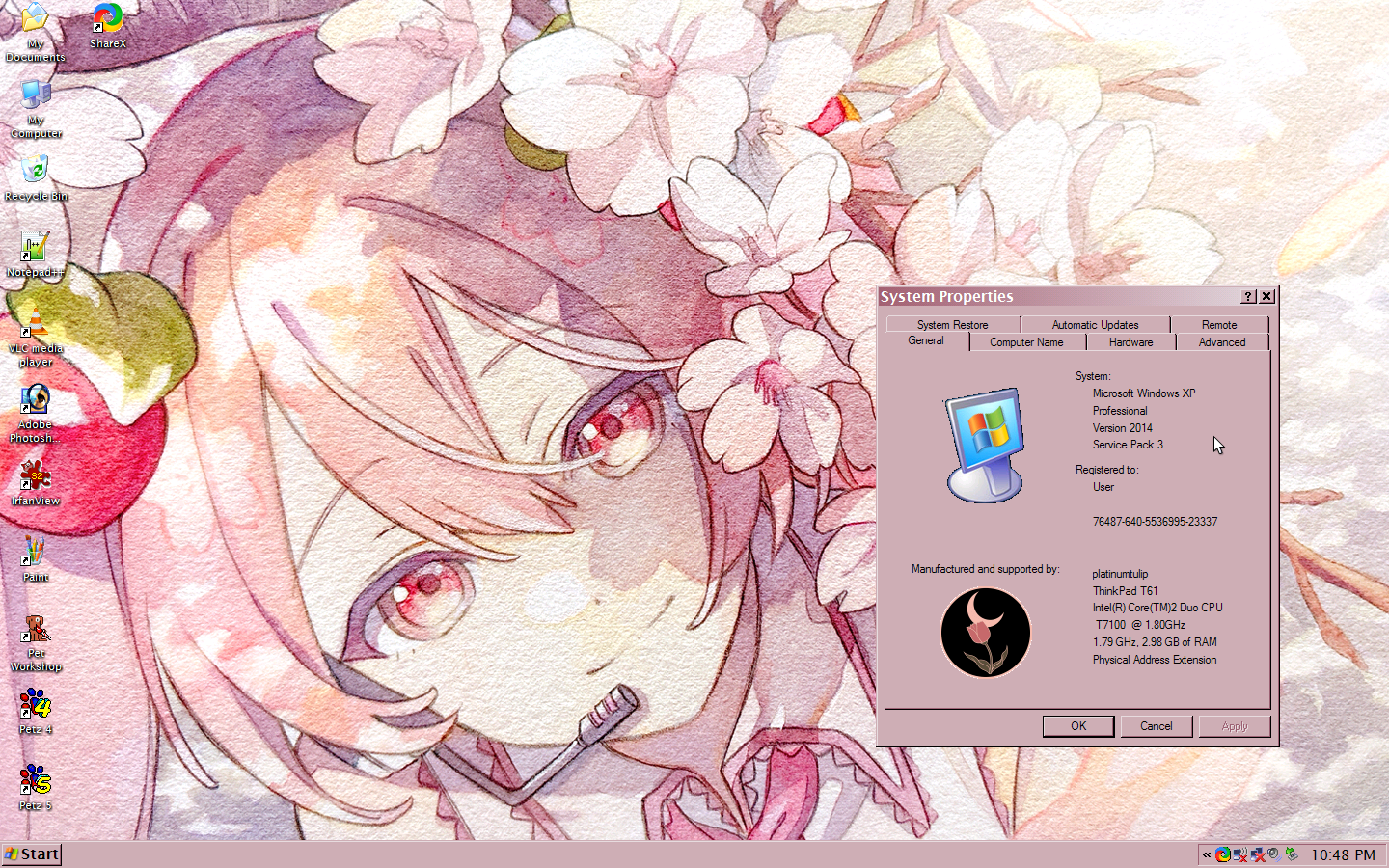
- OS: Windows XP Professional / Windows Vista Business (i swap hard drives sometimes.)
- CPU: Intel Core 2 Duo 1.8GHz
- GPU: NVIDIA NVS140M
- RAM: 3 GB
bought this in June 2023, because i wanted a solid XP machine. it was about $80 or so, which... honestly, for a well-built ThinkPad that had already been cleaned up and restored by the seller with a fresh install of XP on an SSD? i'll take it. i had tried restoring my own XP-era laptops, but i was running into a lot of issues that were proving to be outside of my skillset. it just seemed smarter to me to get one that was already functional and ready to go.
aye, she's a lovely machine, though. i'm quite fond of her. quite heavy, but solid. the keyboard feels pretty nice to type on, and it's a joy to work with. i've been happy with how easy it is to swap hard drives - just a screw or two on the front, and a drive bay cage pops out! how nice. i used a spare HDD to install Vista Business using official restoration discs, because i hadn't touched Vista since it was new, and i was morbidly curious. i should...get back to that project at some point.
for making art on it: i usually use an old 2008 Wacom Bamboo tablet and Photoshop 7. which was the exact combination of tools i used when i started drawing digital art seriously! though on Vista, i installed CS2 instead, since that felt more era-appropriate. PS7 will always have a place in my heart, though. i know it like the back of my hand. oh, sometimes i'll doodle in openCanvas 1.1. that's "classics of free art program" to me. hehe~